- Workflow editors
- SDK design
Linkage
Build a workflow, run it, and see which step failed on the same canvas.
I built Linkage for developers adding a workflow editor to an app. The canvas had to make sense twice. When someone connects two steps, they're deciding what should happen. When they come back after a run, they want to know what actually happened between those same steps.
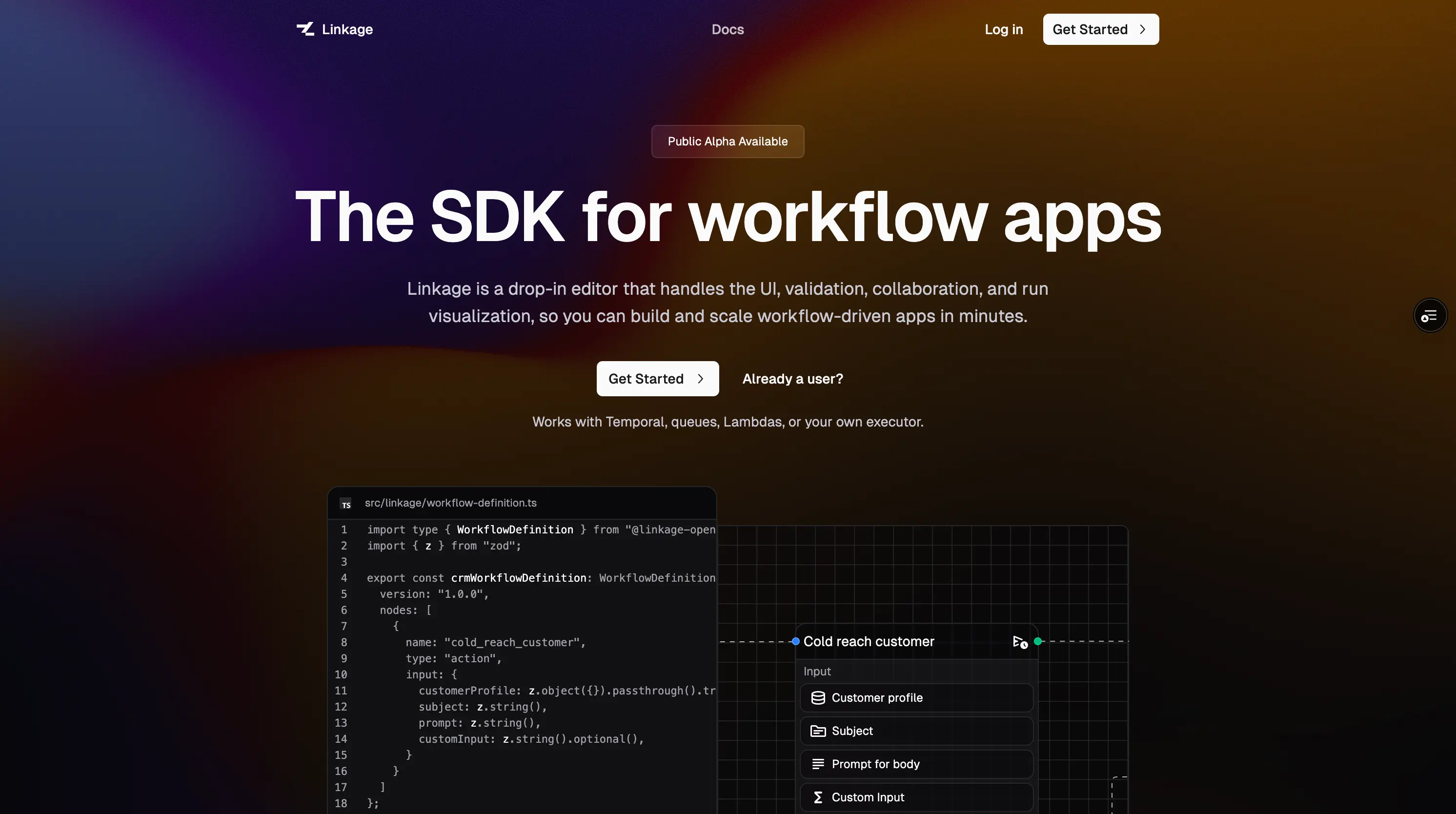
From a node definition to the canvas
A host app already knows what an action needs and what it returns. I wanted developers to describe that once and have the editor use it. In this outreach workflow, the subject goes into the email step and a receipt comes out for the next step to use.
Here’s the same idea with one editable input and one output, using the SDK’s registry helpers.
import { defineNode, defineNodeRegistry } from "@linkage-open/lib";
import { z } from "zod";

export const registry = defineNodeRegistry({
  version: "1.0.0",
  nodes: [
    defineNode({
      name: "Cold reach customer",
      type: "action",
      input: {
        subject: { schema: z.string(), reduce: false, userInput: true },
      },
      output: {
        emailReceipt: { schema: z.string(), reduce: false },
      },
    }),
  ],
});
Once the app uploads that registry, its React editor can load the matching version. The surrounding ClientProvider supplies the project and workflow configuration.
import { StandaloneEditor } from "@linkage-open/lib/react";

export function OutreachEditor() {
  return <StandaloneEditor buildConfig={{ schemaVersion: "1.0.0" }} />;
}
Reading a workflow from React
A host app might have its own inspector beside the canvas. Inside the same ClientProvider, useNode reads the step the inspector is showing, and useWorkflow supplies the edges that connect it to the rest of the workflow.
"use client";

import { useNode, useWorkflow } from "@linkage-open/lib/react";

export function StepConnections({ nodeId }: { nodeId: string }) {
  const [node] = useNode(nodeId);
  const { edges, loading } = useWorkflow();

  if (loading || !node) return null;

  const incoming = edges.filter(edge => edge.target === node.id);
  const outgoing = edges.filter(edge => edge.source === node.id);

  return (
    <p>
      {incoming.length} incoming · {outgoing.length} outgoing
    </p>
  );
}
Pass the selected step’s ID to this component and its counts follow the shared graph as someone connects or disconnects a step.
Letting developers bring their own runtime
I kept execution behind an adapter. A host app subscribes to run events to connect its backend to the editor. Starting a run, cancelling it, and fetching the output of an individual node are separate capabilities the host can supply.
{
  "type": "node.status",
  "runId": "run_001",
  "nodeId": "send-email",
  "status": "error",
  "timestamp": "2026-02-26T18:30:00Z",
  "message": "The recipient address is missing."
}
That boundary gives developers a small place to start. A team that already runs workflows can show their progress in Linkage and add controls as its backend supports them.